UIN Podcast Creation
This guide is here to help you upload and publish UIN podcast episodes.
Podcast File Upload:
Podcast mp3s should be named using the following this format: “YYYYMMDD.mp3″.
For example if an episode was recorded on March 2, 1991, then the mp3 should be 19910302.mp3. Max upload size is 512mb and you can upload a maximum of 10 files at a time.
If you are re-uploading a file please add a version number starting with 2 appended using a dash (i.e. a re-upload of 19910302.mp3 would be 19910302-2.mp3
You must be logged in to use this tool. Login now.
What to do after uploading the mp3…
After you have uploaded the podcast mp3 file, please create a new podcast post by visiting: https://unityinnaperville.org/wp-admin/post-new.php?post_type=podcast
then…
1. Add the title of the talk/sermon.
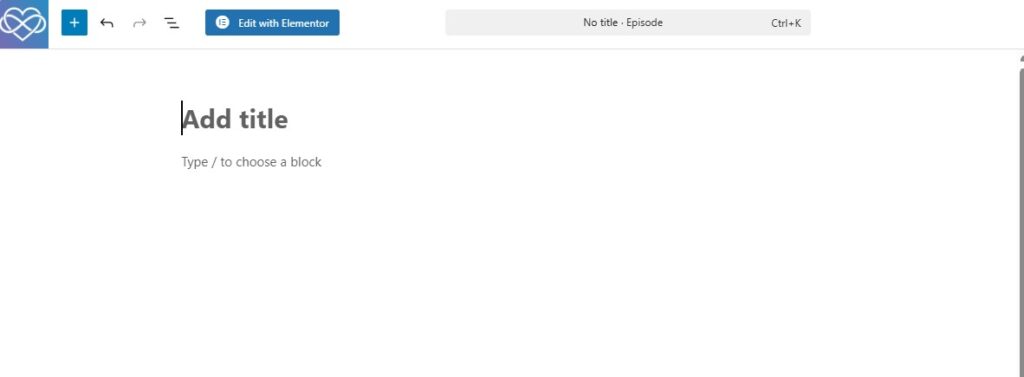
2. Add slides by dragging a pdf over the text that says “type / to choose a block”
To convert PPT slides into PDF and download the PDF… You can (usually) find Sunday slides at pxl.to/sun-plan. (open presentation in Google slides -> delete all non message related slides i.e. announcement slides, beauty slides, videos, meditation etc… -> download as pdf)
Back in WordPress add the file by clicking under the title where it says
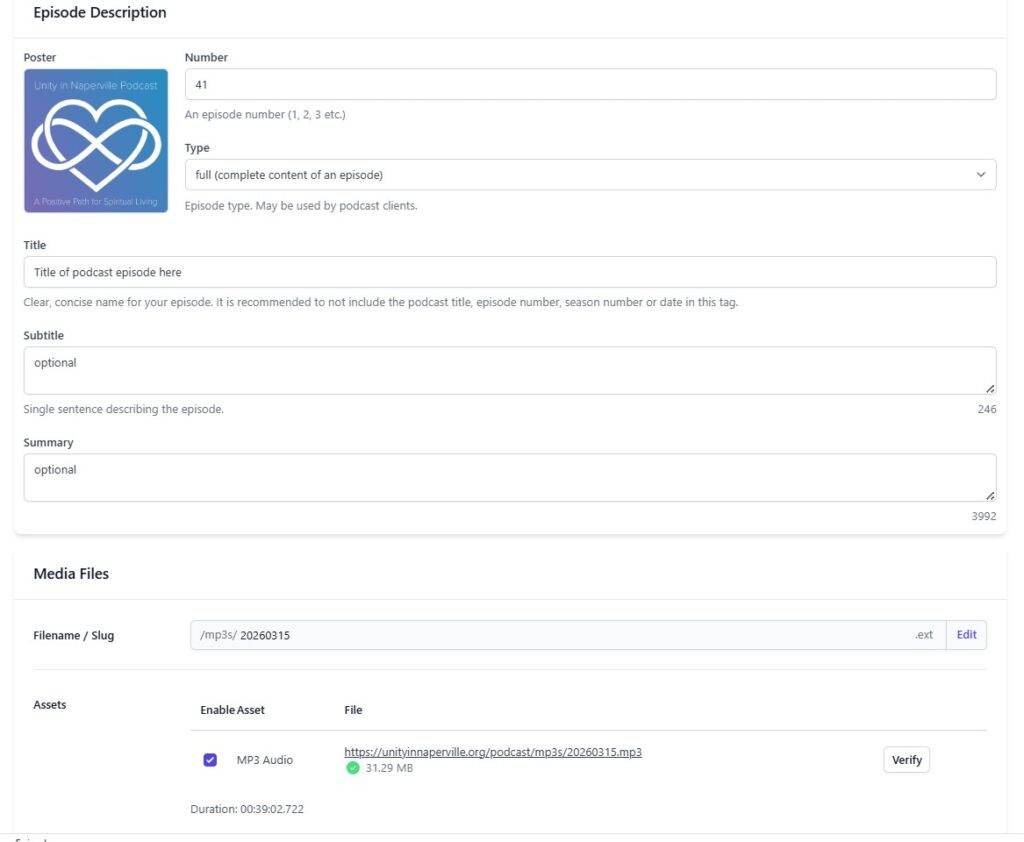
3. Fill in episode data. Use the same naming system you used to name the mp3 in the Filename / slug area to auto link the uploaded file. Also check to
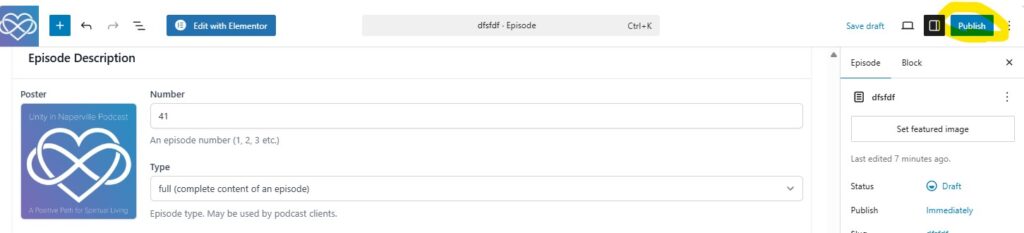
make sure the publish date on the right panel corresponds with the recording date
otherwise the podcast will display an incorrect publishing date.
4. Hit Publish
5. Done =)